ChatGPT Video Editing: The New Plugin-Powered Workflow
Is ChatGPT video editing really here? Partly. ChatGPT has no built-in video editor from OpenAI. But thanks to plugins, ChatGPT can now act as the "brain" that directs a real video editing toolset. This post covers which tools stand out, how to install them, and where they actually help.
Can ChatGPT Edit Video by Itself?
No. On its own, ChatGPT can plan a video, write scripts and give editing instructions, but it can't cut footage and export a new file. In earlier tests, uploading a video produced an "analyzing" screen and no edited result, with ChatGPT at best suggesting FFmpeg commands.
What has changed is that ChatGPT can now connect to an editor. Plugins bundle reusable workflows for ChatGPT and Codex, and they can include skills and MCP servers. Video editing arrives through this layer.
3 Ways to Edit Video in ChatGPT
1. ChatCut: Edit by Conversation
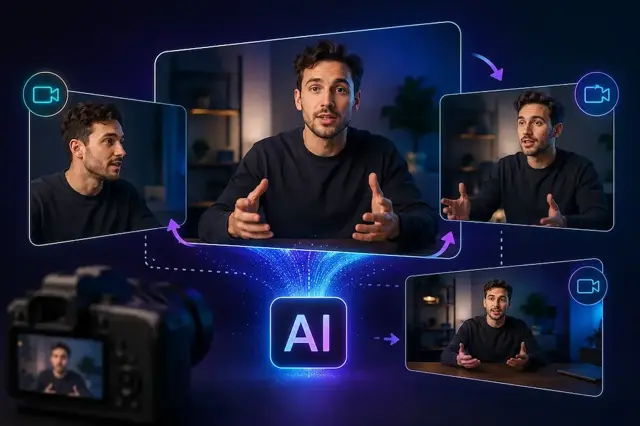
ChatCut is an AI video editor that runs inside ChatGPT. When you ask ChatGPT to edit a video, ChatCut's timeline, player and asset panels open next to the chat. Main features:
- Silence and filler-word removal
- Automatic captions
- Reframing for vertical or horizontal formats
- B-roll insertion and MP4 export
ChatCut's own blog says the plugin launched on July 9, 2026. Since that comes from the vendor, check its site for current pricing and limits.
2. CapCut × Codex: Fast Rough Cuts
CapCut offers a connected workflow with ChatGPT. In the ChatGPT desktop app, you describe your video idea and use CapCut's smart rough-cut feature to organize clips into an editable first draft. Two caveats: it targets the ChatGPT desktop app on PC rather than the browser, and CapCut's page includes "launch coming soon" wording, so confirm availability before relying on it.
3. Remotion: Code-Based Editing
This one suits developers. Codex writes a small program describing which seconds to keep, where captions go and when to zoom, and Remotion renders it into a video. Because Codex runs on your machine, your footage stays local. It works well for repeatable, templated content such as captioned short-form series.
How to Install ChatGPT Plugins
- Open the ChatGPT desktop app.
- Go to the Plugins tab and search for the plugin (ChatCut, Remotion, etc.).
- Install it, and approve any account connection it asks for.
- Start a new task, add your video and describe the edit you want.
Note: According to ChatCut, web and mobile ChatGPT can't install plugins, so you need the desktop app. Availability also depends on your plan, workspace settings, role and the surface you use.
Which Videos Does This Work Best For?
- Speech-driven content: Interviews, tutorials and YouTube videos. These tools work from the transcript, so dialogue-heavy footage gives the best results.
- Short-form production: Captions and vertical reframing for Shorts, Reels and TikTok.
- Rough first cuts: A quick starting draft from raw footage.
Limitations to Keep in Mind
- ChatGPT doesn't watch footage frame by frame; it mostly relies on the transcript.
- Cinematic, visual-first editing still needs a human eye.
- These are third-party tools with their own limits and pricing on top of your ChatGPT plan.
- Many are new or in beta, so behavior may change.
FAQ
Can ChatGPT edit videos?
Not on its own. Connected to an editor plugin, it can direct the edit.
Is editing video with ChatGPT free?
It depends on the plugin. One guide to the Remotion route says it's available on every ChatGPT plan with usage limits, and ChatCut says it's free during beta. Verify current terms on the official pages.
Can I do it from my phone?
Plugin installation requires the desktop app.
Is my video uploaded somewhere?
With Remotion and Codex, processing happens on your computer. For other plugins, check the service's privacy policy.
Conclusion
"ChatGPT edits video" isn't quite accurate, but it isn't wrong either: ChatGPT directs the edit while an editor plugin does the work. For creators who want to hand off the tedious parts (cutting, captions, cleanup) with a single prompt, the time savings are real, though you still own the final review.