Forza Horizon 6 Sakura Scene — Put Your Car in the Game
How to Use?
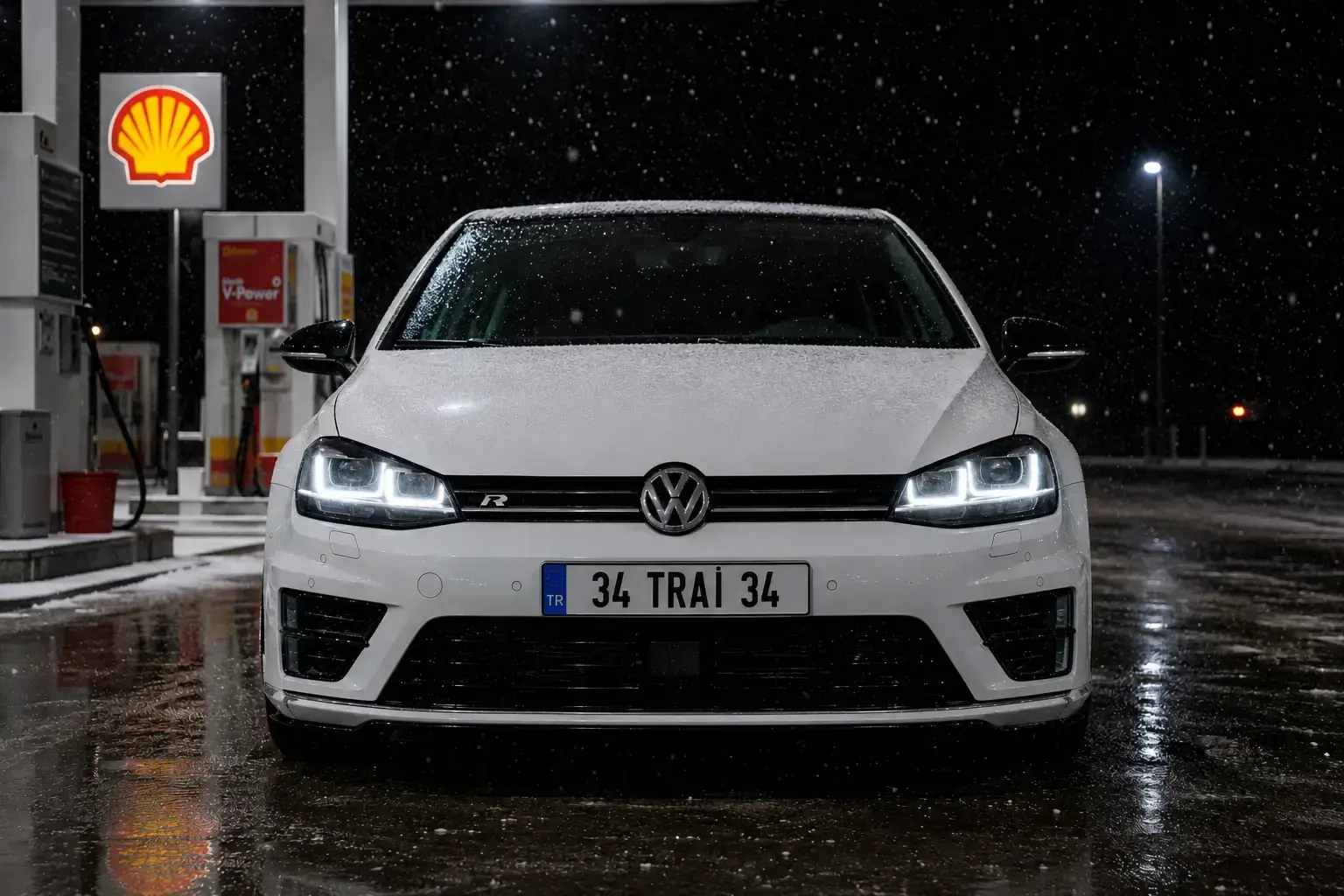
Prepare a clear photo of your car with the license plate visible.
Upload the photo to ChatGPT (with image generation enabled).
Copy the English prompt below exactly and send it along with your photo.
AI Prompt
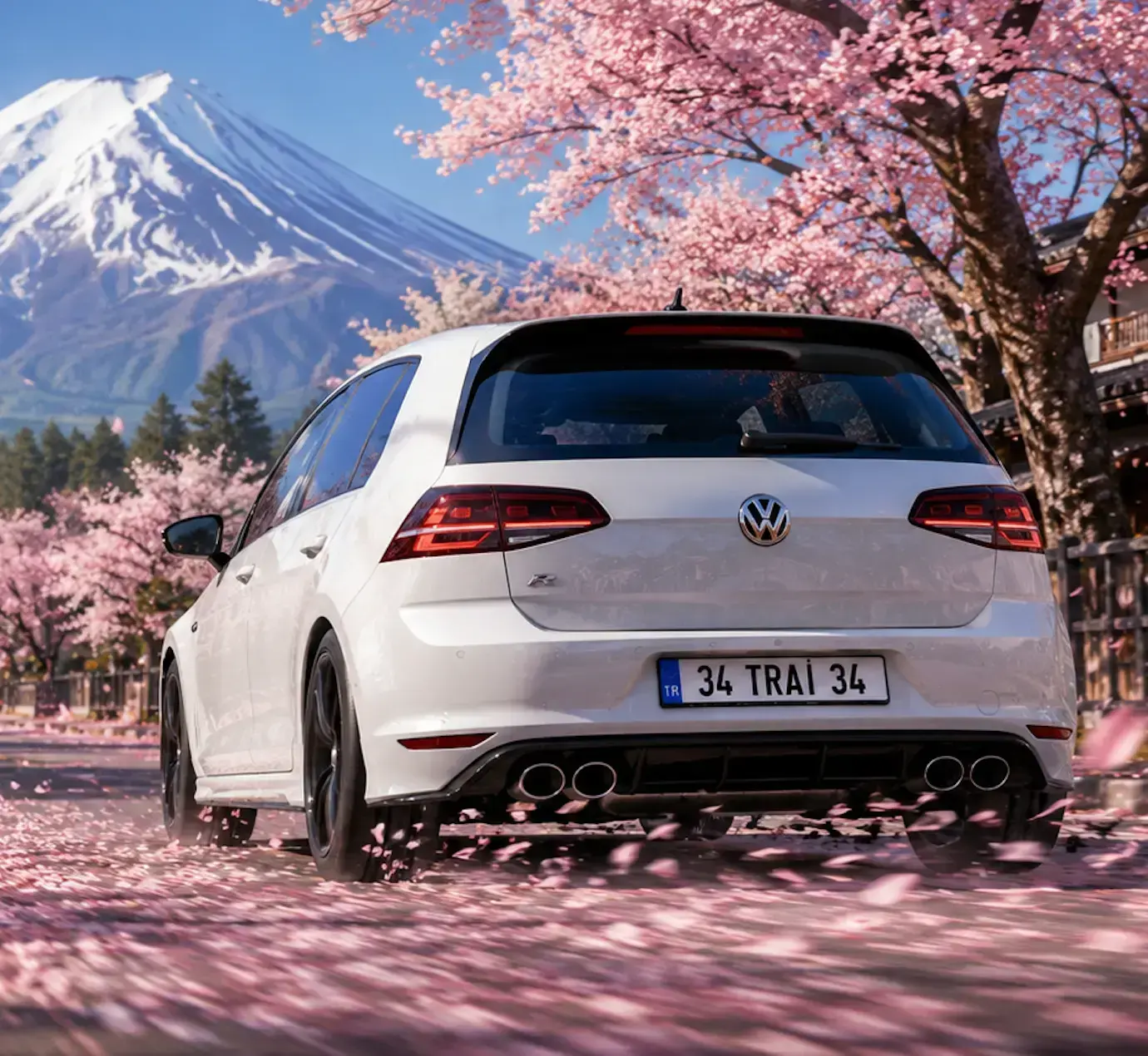
Using the attached photo of my car as the exact reference, recreate this vehicle with 100% accuracy — same make, model, body color, wheels/rims, license plate text, and every visible detail (badges, trim, mirrors, exhaust tips) — and place it into a Forza Horizon 6 style video game screenshot scene. Scene: the car is driving away from camera on a road covered in fallen pink cherry blossom petals, with more petals swirling in motion blur around the rear wheels. On both sides of the road are large blooming sakura (cherry blossom) trees in full pink bloom, some petals falling from the branches. In the background, a majestic snow-capped Mount Fuji rises above a tree line, under a clear blue sky. To the right, a traditional Japanese wooden house with a low fence is partially visible. Wooden utility poles with power lines line the left side of the road. Camera angle: low rear three-quarter view of the car, similar to a racing game photo-mode shot, with shallow depth of field and slight motion blur on the ground/petals to suggest speed, while the car itself stays sharp and in focus. Lighting: bright natural daylight, cinematic realistic game-engine rendering, high detail, slight lens glow. Add the 'FORZA HORIZON 6' logo in the top-left corner of the image, styled exactly like the official Forza Horizon game logo (white 'FORZA HORIZON' text with a small racing stripe icon, and '6' in a pink-to-orange gradient). Keep the car 100% faithful to the reference photo — do not change its color, body kit, plate number, or any details. Only change the environment around it to match this Forza Horizon 6 cherry blossom scene.